Deployment on Plesk

Go to the intended Plesk server that will be serving the deployed site.
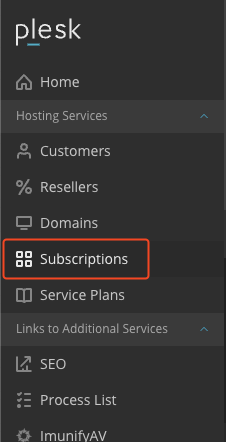
Click subscriptions on the left menu panel.

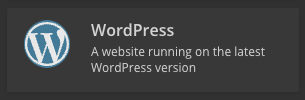
Click Add Subscription. Choose WordPress.



Enter a domain name (for setting up a dev server it should be projectname.leadpoint.dev). Select Service plan Unlimited - 2023. Click Add Subscription


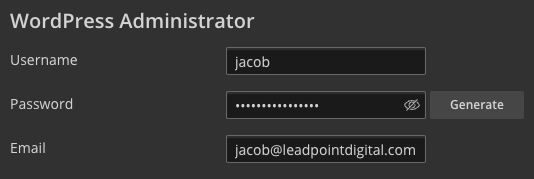

Add a website title. Select the Origins Set for the Plugin/theme set. Change the username and email to something different than jzahn. Click Install.
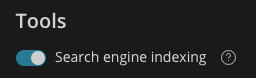
If you are making a dev site make sure to turn off Search Engine Indexing.
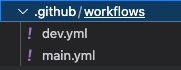
In your theme folder add a .github/workflows/dev.yml or .github/workflows/main.yml (both should be there if there is a dev and prod site setup.) Copy the code from below into them respectively.
name: 🚀 Deploy to Development
on:
  push:
    branches:
      - dev
jobs:
  build:
    runs-on: ubuntu-latest
    steps:
    - name: 🚚 Get the latest code
      uses: actions/checkout@v4

    - name: 🤖 Setup PHP
      uses: shivammathur/setup-php@v2
      with:
        php-version: '8.3'
      env:
        GITHUB_TOKEN: ${{ secrets.GH_TOKEN }}

    - name: ⚡️ Install PHP dependencies
      run: composer install --no-progress --prefer-dist --optimize-autoloader

    - name: 🤖 Setup Bun
      uses: oven-sh/setup-bun@v1.1.1

    - name: ⚡️ Install Javascript Dependencies
      run: bun install

    - name: 🛠️ Build
      run: bun run build

    - name: 📂 Sync files
      uses: SamKirkland/FTP-Deploy-Action@v4.3.4
      with:
        server: ${{ secrets.FTP_DEV_SERVER }}
        username: ${{ secrets.FTP_DEV_USERNAME }}
        password: ${{ secrets.FTP_DEV_PASSWORD }}
name: 🚀 Deploy to Production
on:
  push:
    branches:
      - main
jobs:
  build:
    runs-on: self-hosted
    steps:
    - name: 🚚 Get the latest code
      uses: actions/checkout@v4

    - name: 🤖 Setup PHP
      uses: shivammathur/setup-php@v2
      with:
        php-version: '8.3'
      env:
        GITHUB_TOKEN: ${{ secrets.GH_TOKEN }}

    - name: ⚡️ Install PHP dependencies
      run: composer install --no-progress --prefer-dist --optimize-autoloader

    - name: 🤖 Setup Bun
      uses: oven-sh/setup-bun@v1.1.1

    - name: ⚡️ Install Javascript Dependencies
      run: bun install

    - name: 🛠️ Build
      run: bun run build

    - name: 📂 Sync files
      uses: SamKirkland/FTP-Deploy-Action@v4.3.4
      with:
        server: ${{ secrets.FTP_PROD_SERVER }}
        username: ${{ secrets.FTP_PROD_USERNAME }}
        password: ${{ secrets.FTP_PROD_PASSWORD }}

Back on the server, go to files, navigate from the root directory to httpdocs/wp-content/themes and create a new directory within this folder with the theme name. You can also do this through the terminal with mkdir {theme} if preferred.
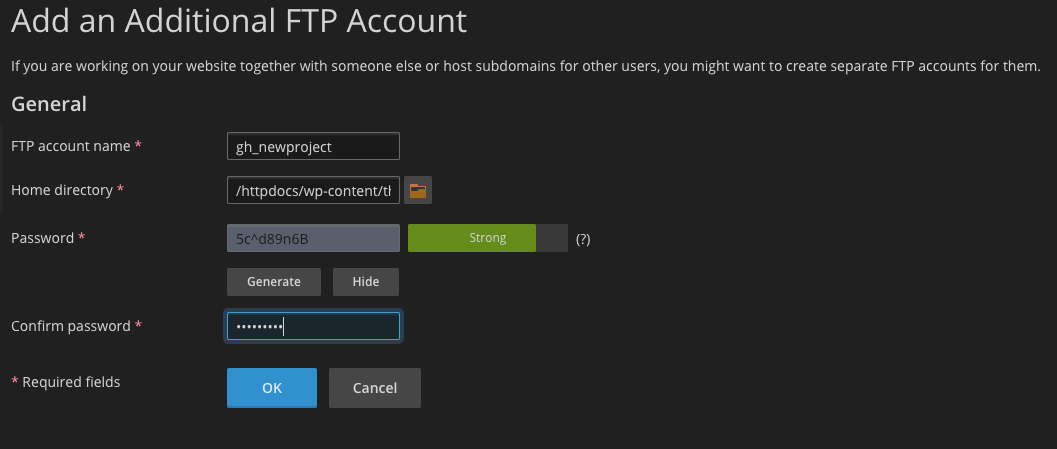
Go back to the sites dashboard and click FTP, and then click add an FTP Account. The username should be gh_{domain} fore example: gh_leadpointdigital would be the username for leadpointdigital.com. The home directory should be the folder of the theme, httpdocs/wp-content/themes/{theme}. Copy the password into the confirm password field, and then save that password for the next steps.
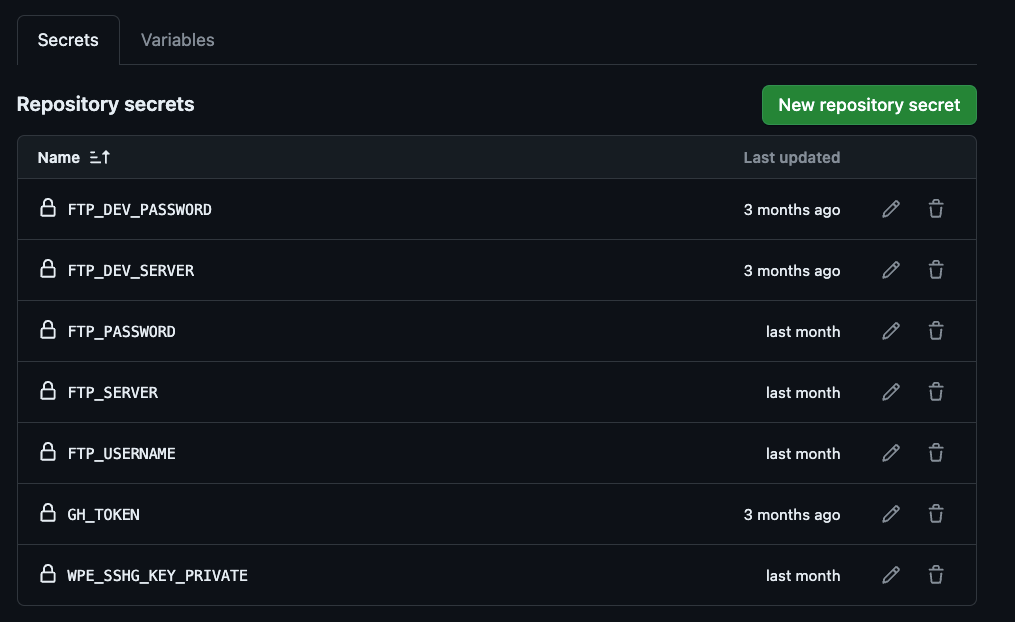
Go to the GitHub repository for the theme. Go to settings, then under the Security section chose Secrets and variable, then Actions. Add secrets for FTP_DEV_SERVER, FTP_DEV_USERNAME, and FTP_DEV_PASSWORD (if setting up a dev site), and FTP_PROD_SERVER, FTP_PROD_USERNAME, and FTP_PROD_PASSWORD (if setting up a prod site). Also, GH_TOKEN which Jacob currently has and should be kept secret. The rest of the values should match the credentials that were entered in FTP on the server for GitHub. The SERVER secret should match the url of the server that the deployment is located on, for example the server for a dev site would be lpd-dev01.leadpoint.dev. The first deployment may take a bit longer ~3-5 minutes, but after it should take less than a minute per deploy. If the ftp is setup correctly, but failed, add a blank .ftp-deploy-sync-state.json file in the theme folder on the server.
WP Engine Deployment
Deploying on WP Engine via GitHub actions requires a modified workflow.
Here is the boilerplate main-wpengine.yml workflow that can be copied and pasted into .github/workflows.
name: 🚀 Deploy to Production
on:
  push:
    branches:
      - main
jobs:
  build:
    runs-on: ubuntu-latest
    steps:
    - name: 🚚 Get the latest code
      uses: actions/checkout@v4

    - name: 🤖 Setup PHP
      uses: shivammathur/setup-php@v2
      with:
        php-version: '8.3'
      env:
        GITHUB_TOKEN: ${{ secrets.GH_TOKEN }}

    - name: ⚡️ Install PHP dependencies
      run: composer install --no-progress --prefer-dist --optimize-autoloader

    - name: 🤖 Setup Bun
      uses: oven-sh/setup-bun@v2.0.1

    - name: ⚡️ Install Javascript Dependencies
      run: bun install

    - name: 🛠️ Build
      run: bun run build

    - name: GitHub Action Deploy to WP Engine
      uses: wpengine/github-action-wpe-site-deploy@v3
      with:
        WPE_SSHG_KEY_PRIVATE: ${{ secrets.WPE_SSHG_KEY_PRIVATE }}
        WPE_ENV: vistadentalgro
        # Deploy Options
        REMOTE_PATH: "wp-content/themes/vista/"
        CACHE_CLEAR: TRUE
        FLAGS: -azvr --inplace
WP Engines action ignores the .dir file containing the manifest.json without the added flags.
A bash script is also needed to clean up old js and css files that don't match the current manifest.json. This script is still in development.